Phishing and suspicious messages
Communication with buyer or sellerUpdated Sep 2, 20264 min read
At Whoppah, we strive to provide you with a safe and enjoyable trading experience. We're happy to share some helpful tips to ensure your transactions remain secure.
Phishing and suspicious messages: how do you recognize them and stay safe?
In the digital world of online commerce and communication, it's crucial to stay alert to phishing and suspicious messages. Here's how to recognize them and protect yourself.
We continuously monitor and improve our security measures to provide you with the best possible experience. Safety is our top priority, and we're always here for you.
General safety precautions:
Keep all communications and transactions within the Whoppah platform. This offers the best protection and leaves a trail in case of problems.
Be careful with links
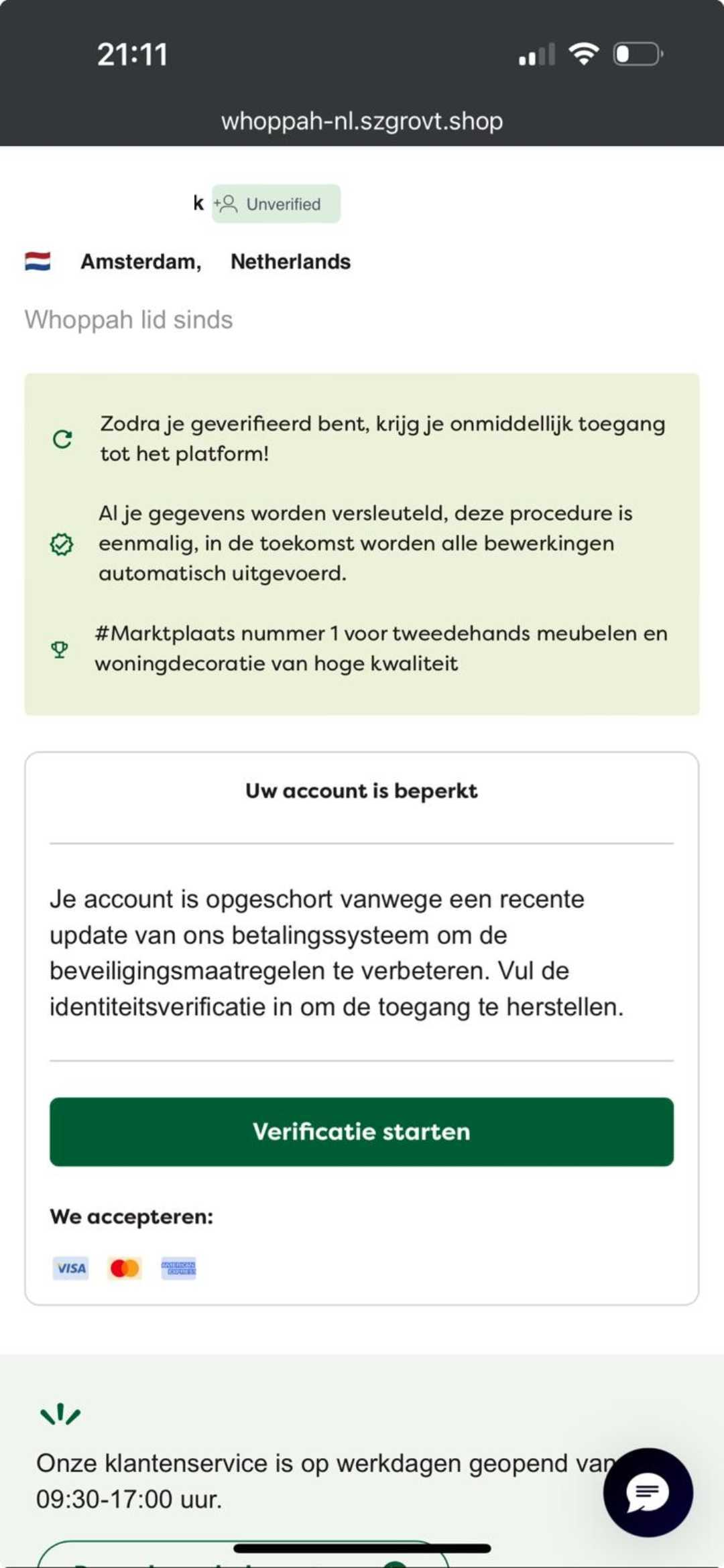
Do not click on links in messages, especially if they ask you to log in, verify orders, or enter or share personal information.
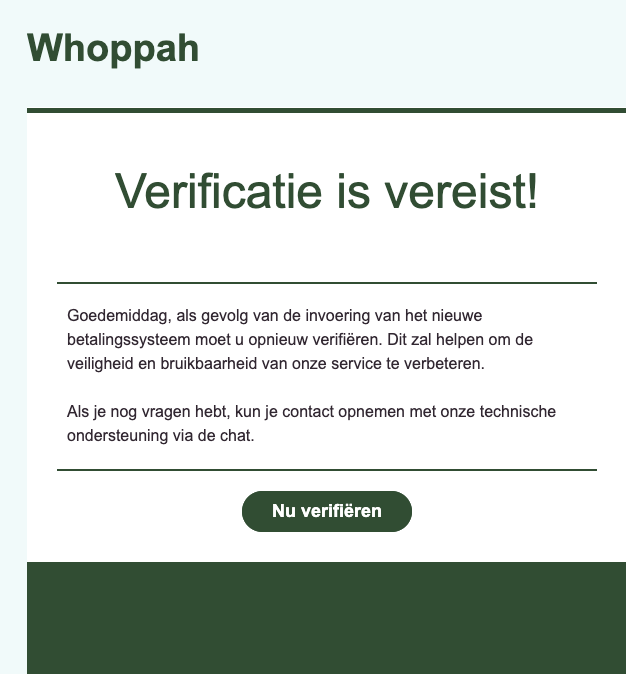
Always verify that messages actually come from the platform by carefully checking the email address or sender.
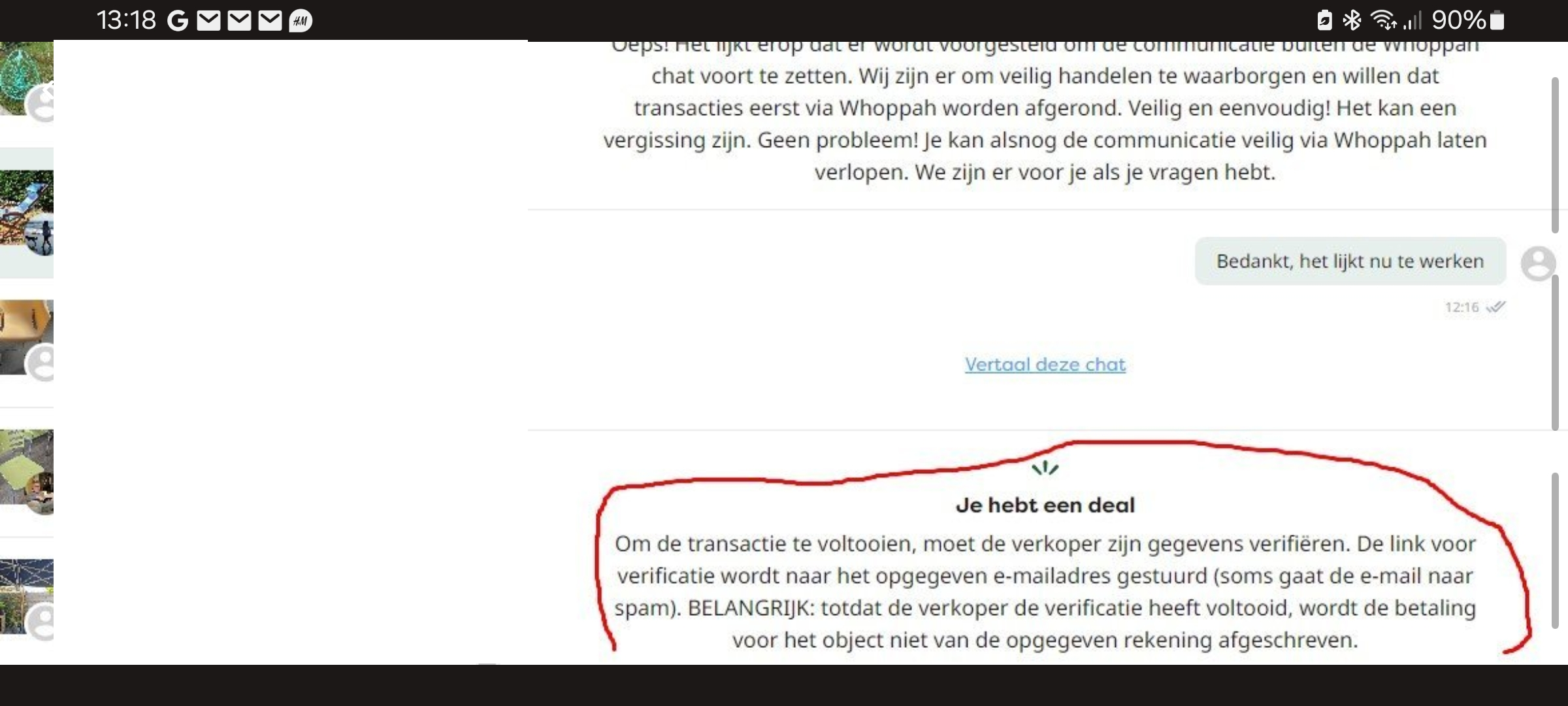
As a seller or buyer, you never have to approve an order via email
You do not need to verify your Whoppah account via the Whoppah Chat
Safe trading
Pay via the payment methods offered by Whoppah
Take advantage of the secure payment methods offered by the platform.
You never need to click a payment link in the Whoppah chat to pay through Whoppah. We and buyers also don't send QR codes through the Whoppah chat.
Whoppah won't send you an email requesting or invoicing you for a bank transfer to purchase the item. Sellers sending a photo with an email address is a common way to redirect the payment to Whoppah:
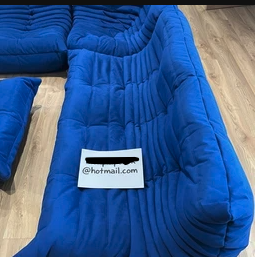
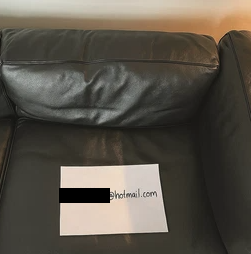
The seller will request your information and email you an invoice, payment request, or bank details to transfer the money. Don't do this.
The image below is an example of a fake confirmation email:
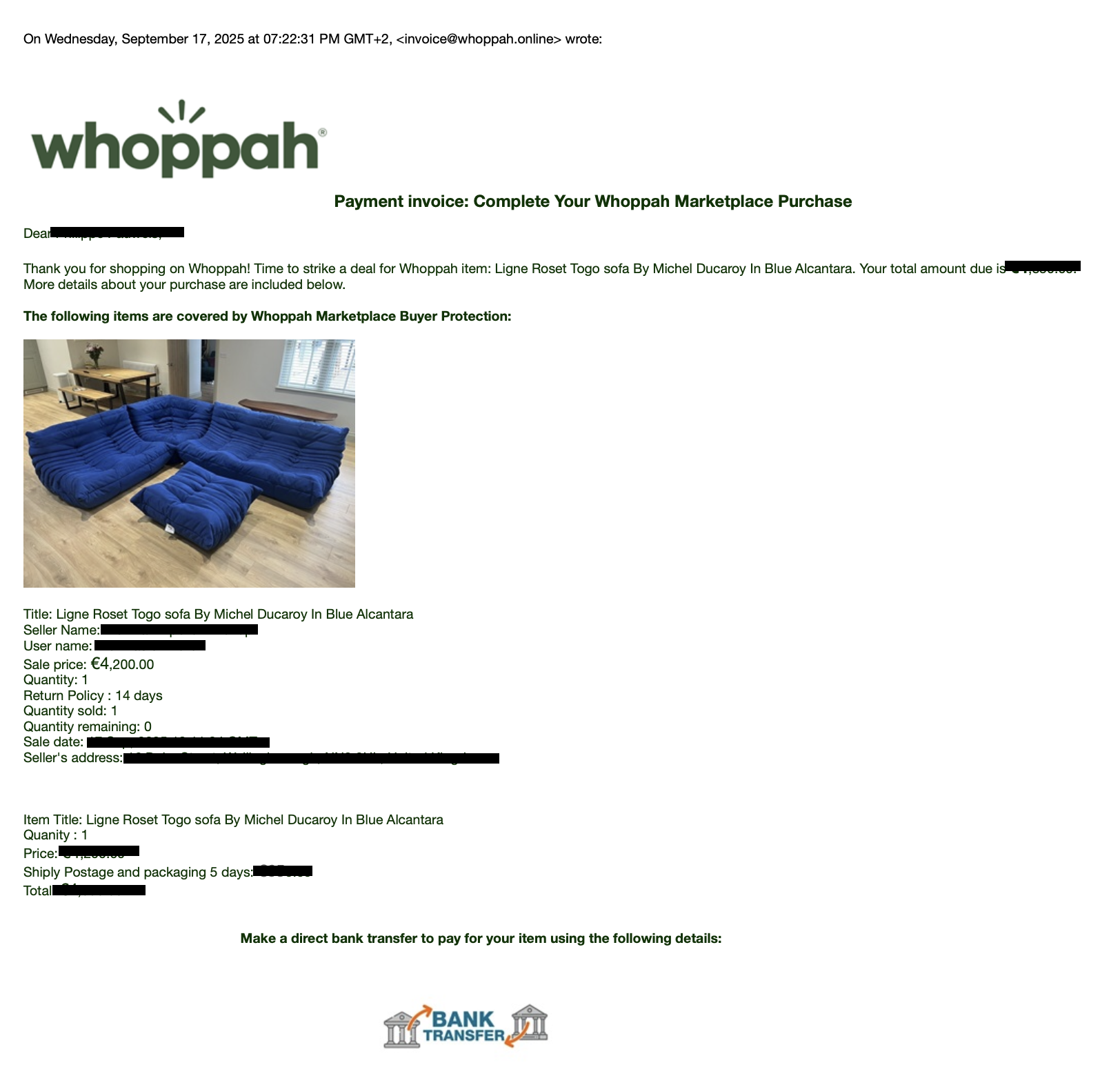
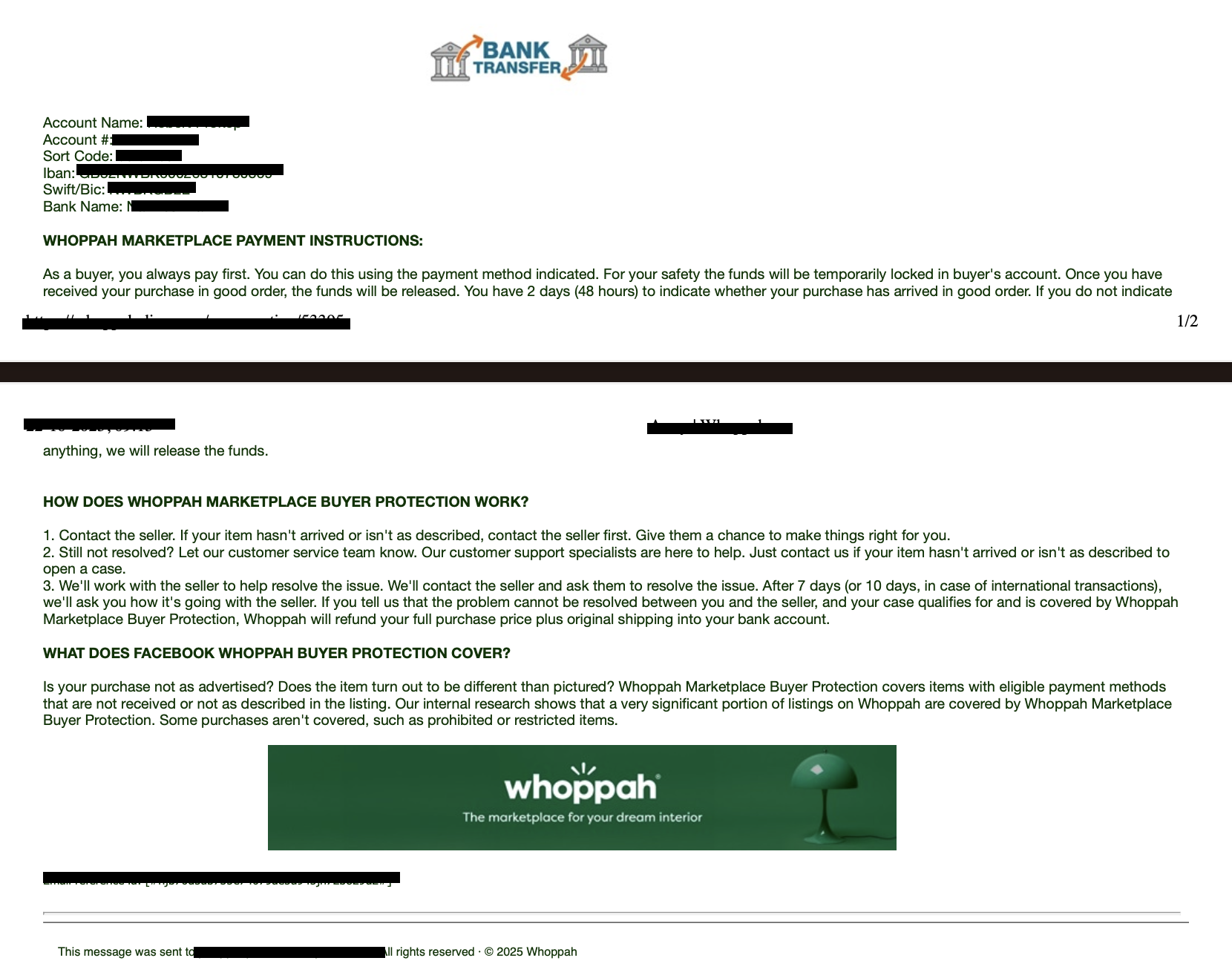
If you receive an email and you're not sure whether it's actually from Whoppah, don't take the risk and forward it to reportspam@whoppah.com .
Our official communications come exclusively from email addresses ending in @whoppah.com. We do not send messages from other domains.
Please note: the email address invoice@whoppah.online is not an official Whoppah email address. If you have any doubts about the authenticity of an email, please contact us at reportspam@whoppah.com so we can verify it for you.
Recognizing suspicious messages
Unusual requests
Be careful with messages that ask for personal information, such as your email address, copies of your ID, bank card or driver's license.
Too good to be true
If an offer seems unrealistically good, it probably isn't. Remain critical and ask about the origin and reason for the sale.
Pressure to communicate outside the platform
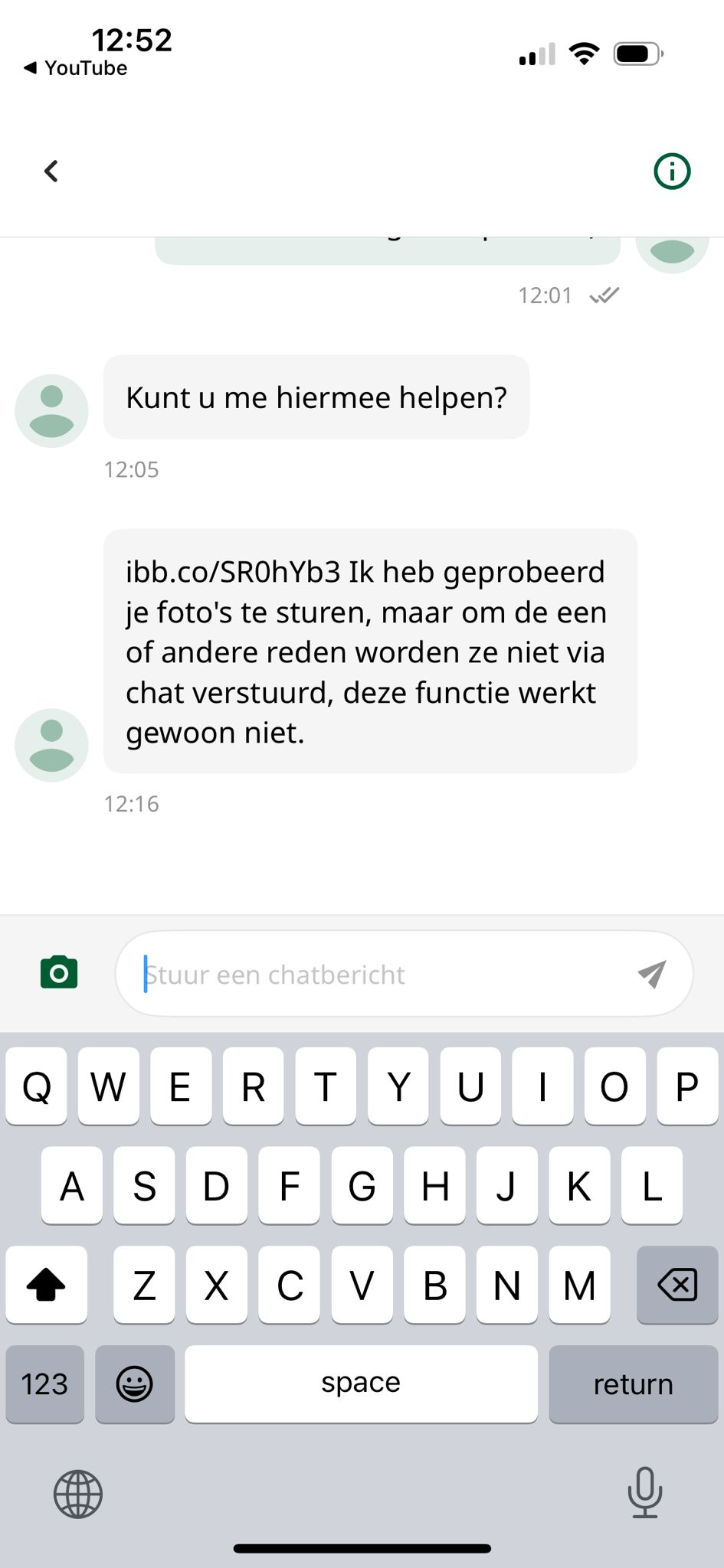
Scammers often try to move conversations to other platforms, such as email or WhatsApp. Keep all communication within the platform's official messaging system.
Messages from so-called “Whoppah Support”
Our customer service will not contact you via advertisements. If you receive messages from "Whoppah Support" or similar names, please be alert and do not respond.
Request to confirm the item before the seller ships it
Scammers ask you to confirm receipt of the item before they can ship it. Confirming receipt releases the payment to the seller. That's not how Whoppah works. We hold your payment in escrow until you confirm that the item has been delivered in good condition.
Examples of spam:
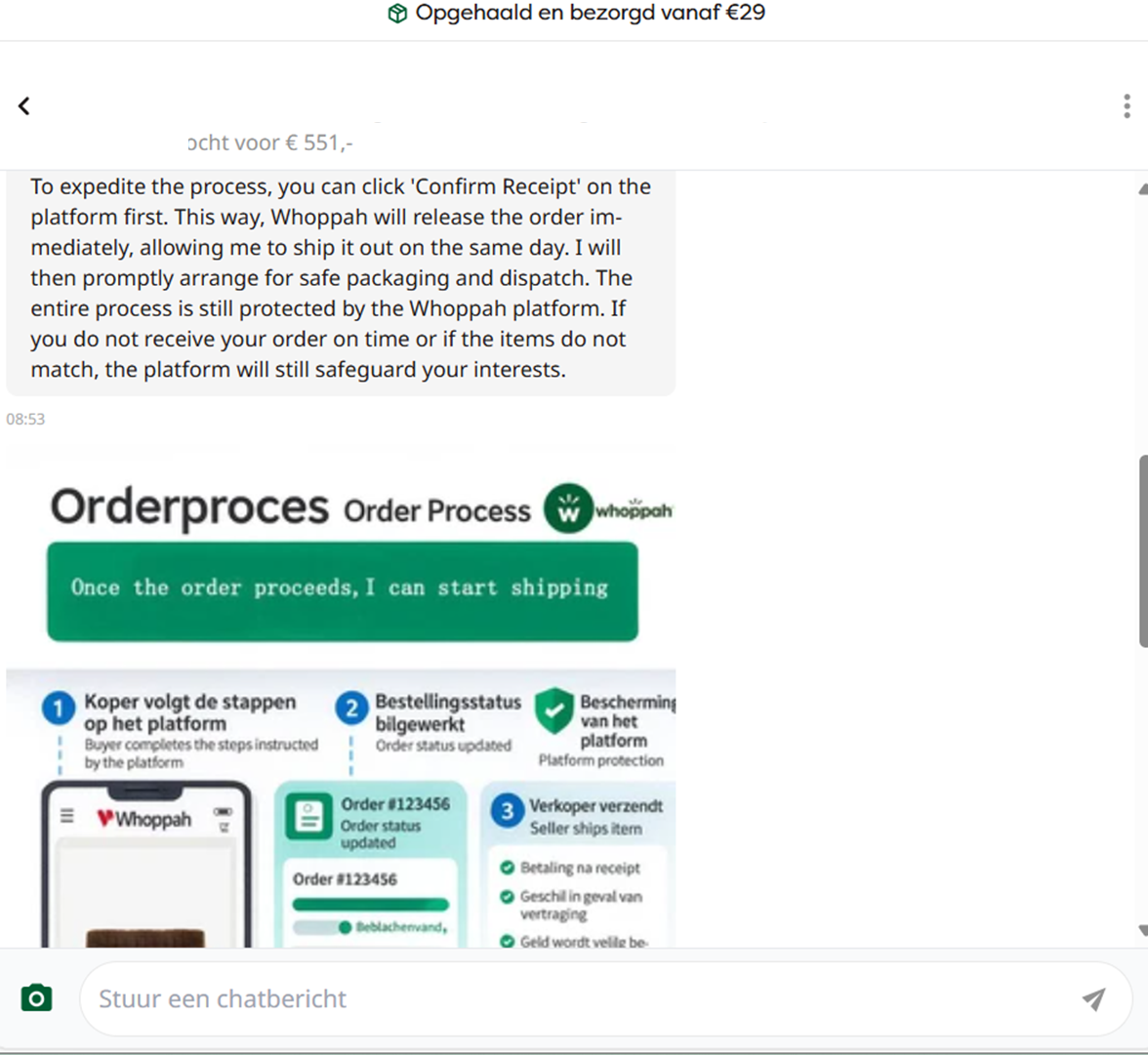
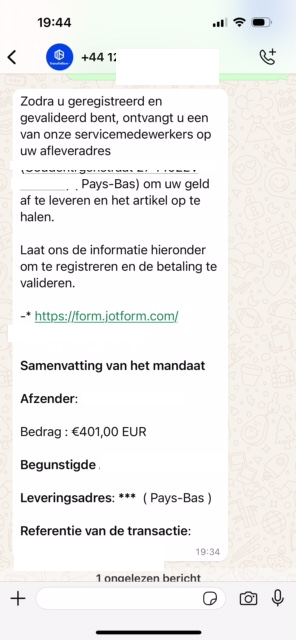
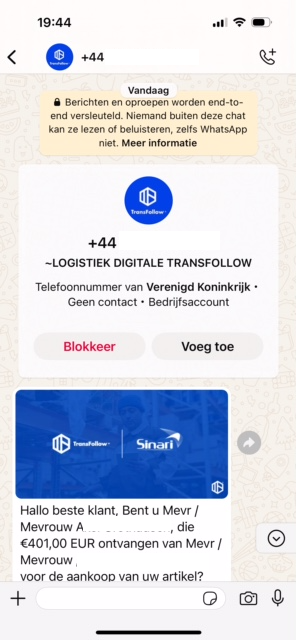
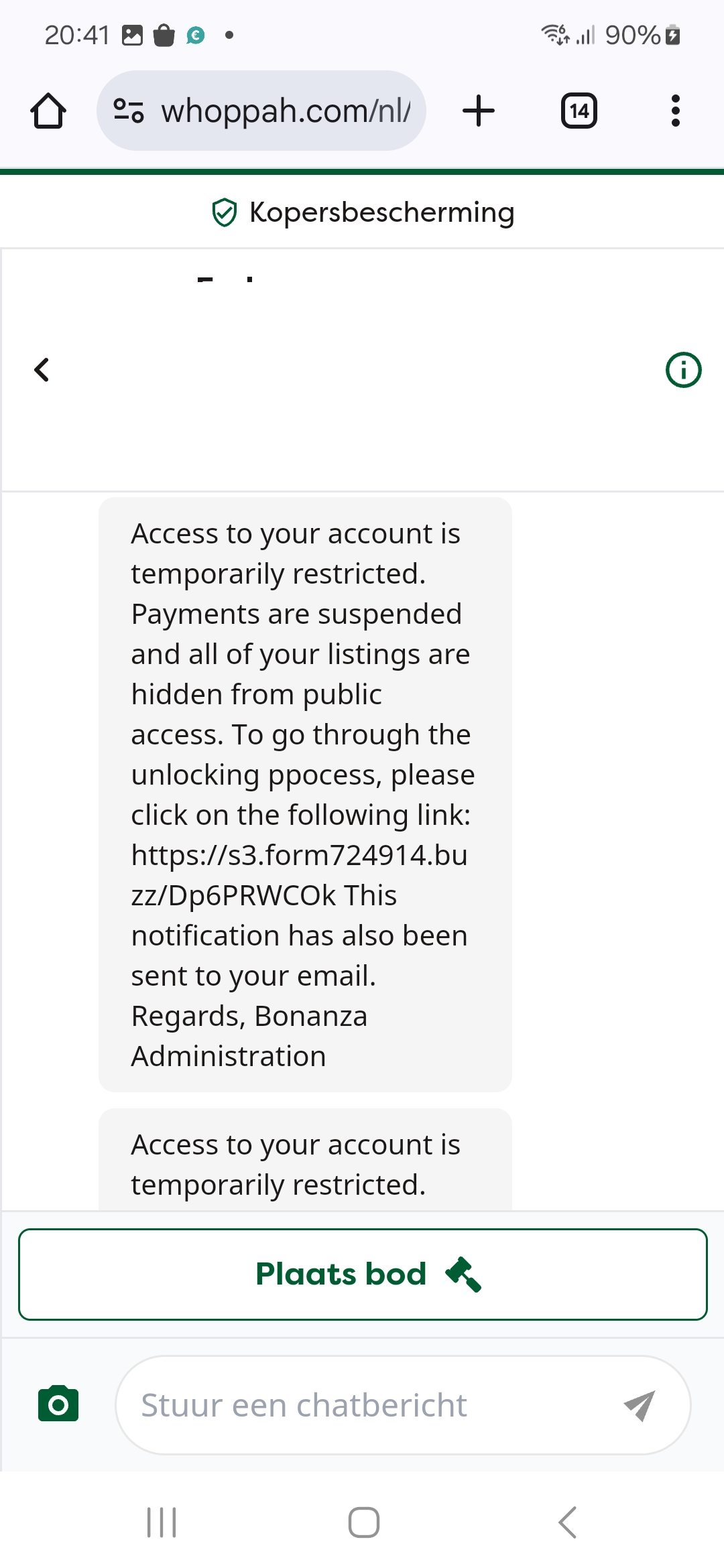
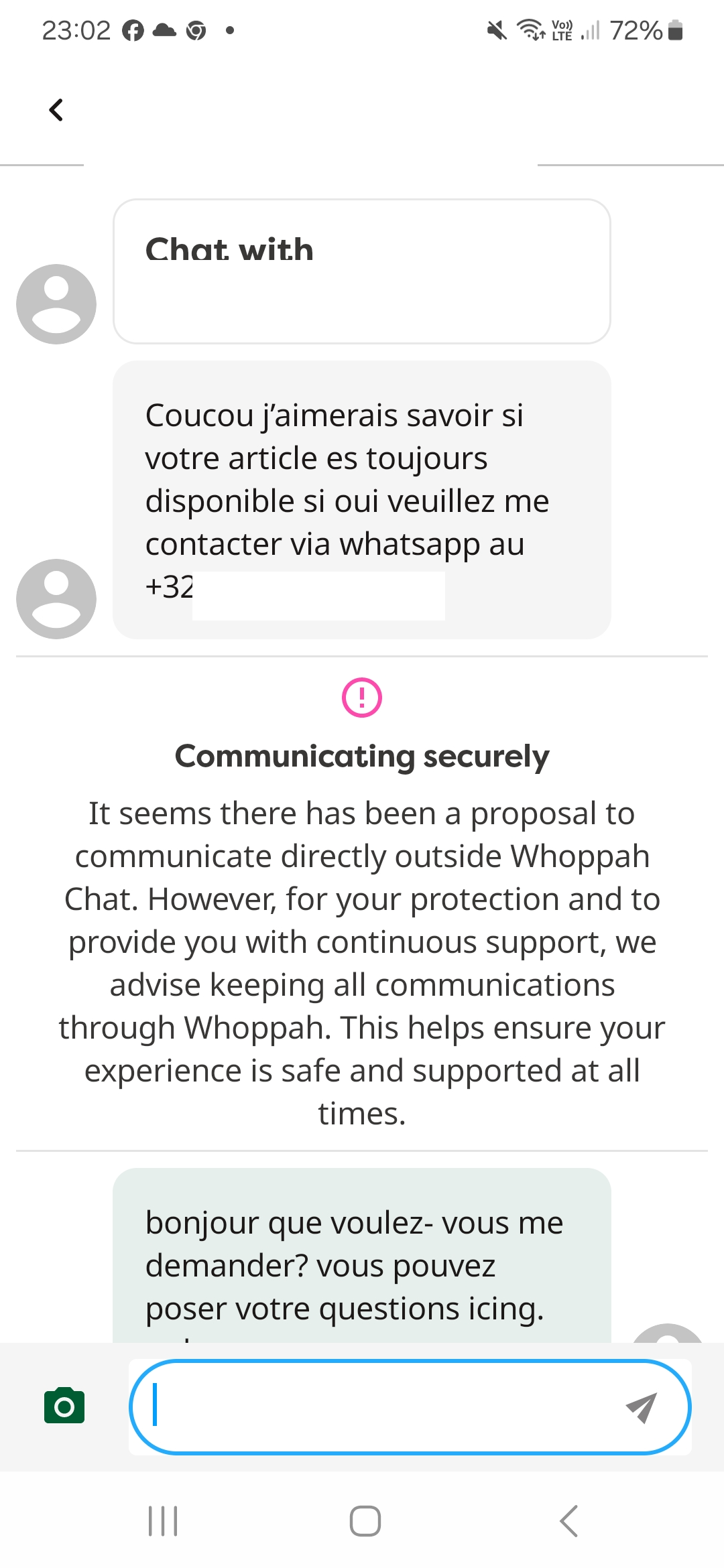
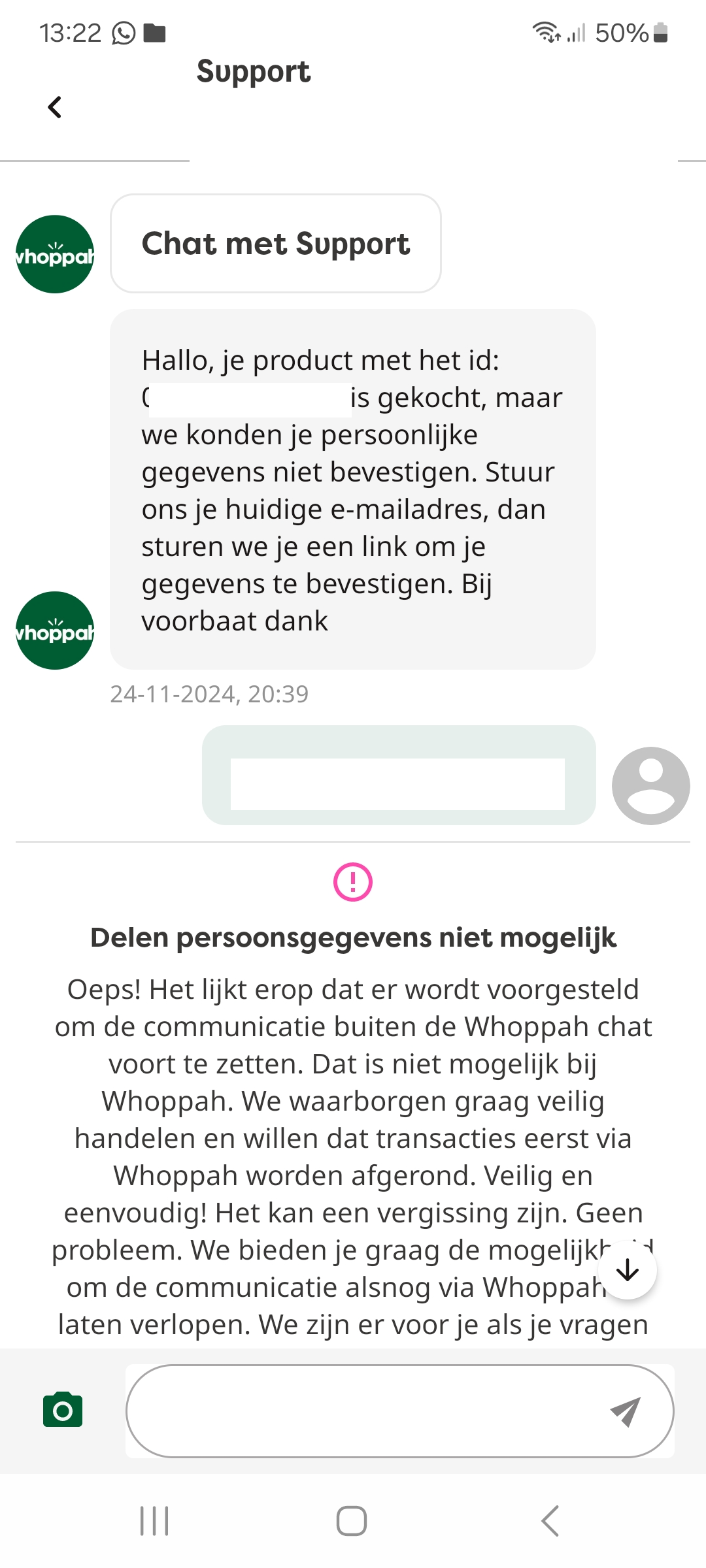
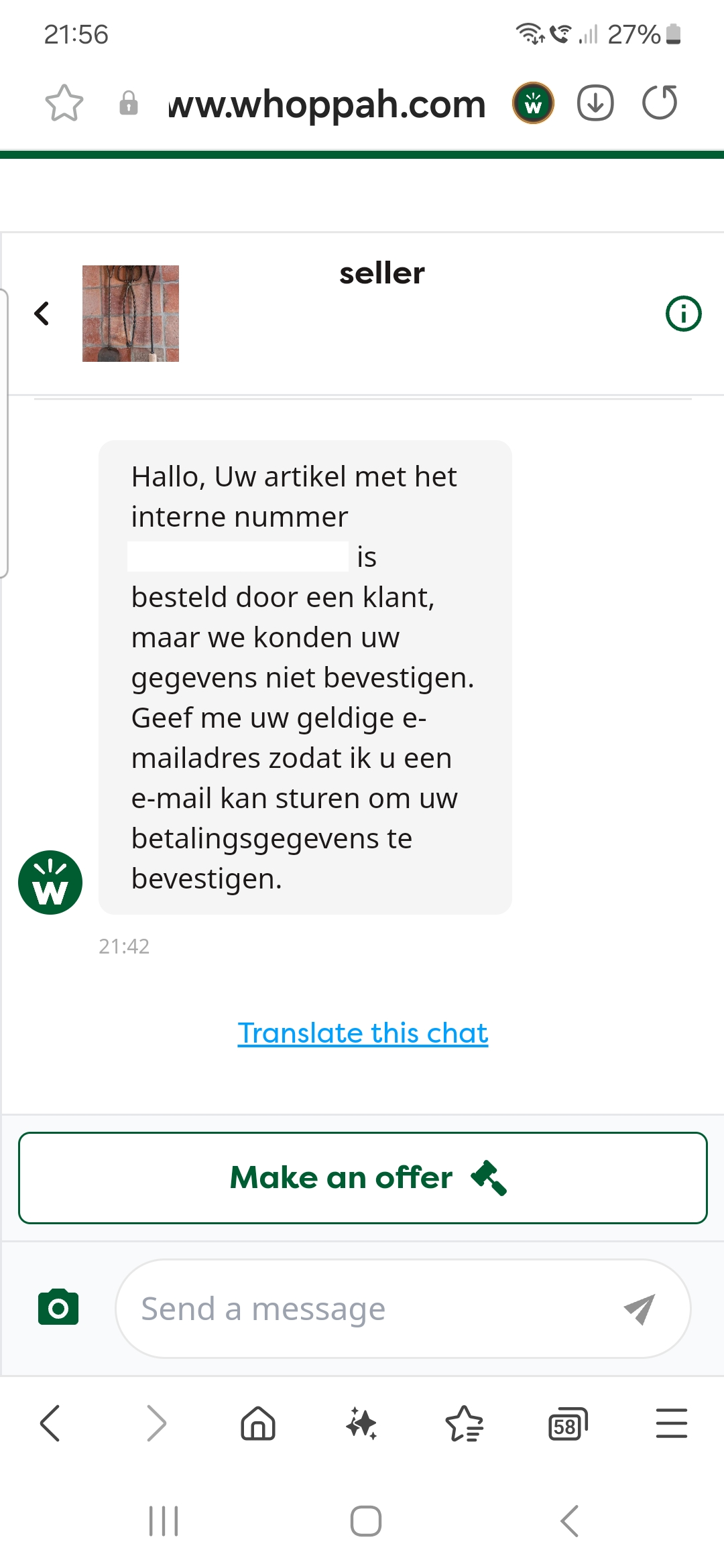
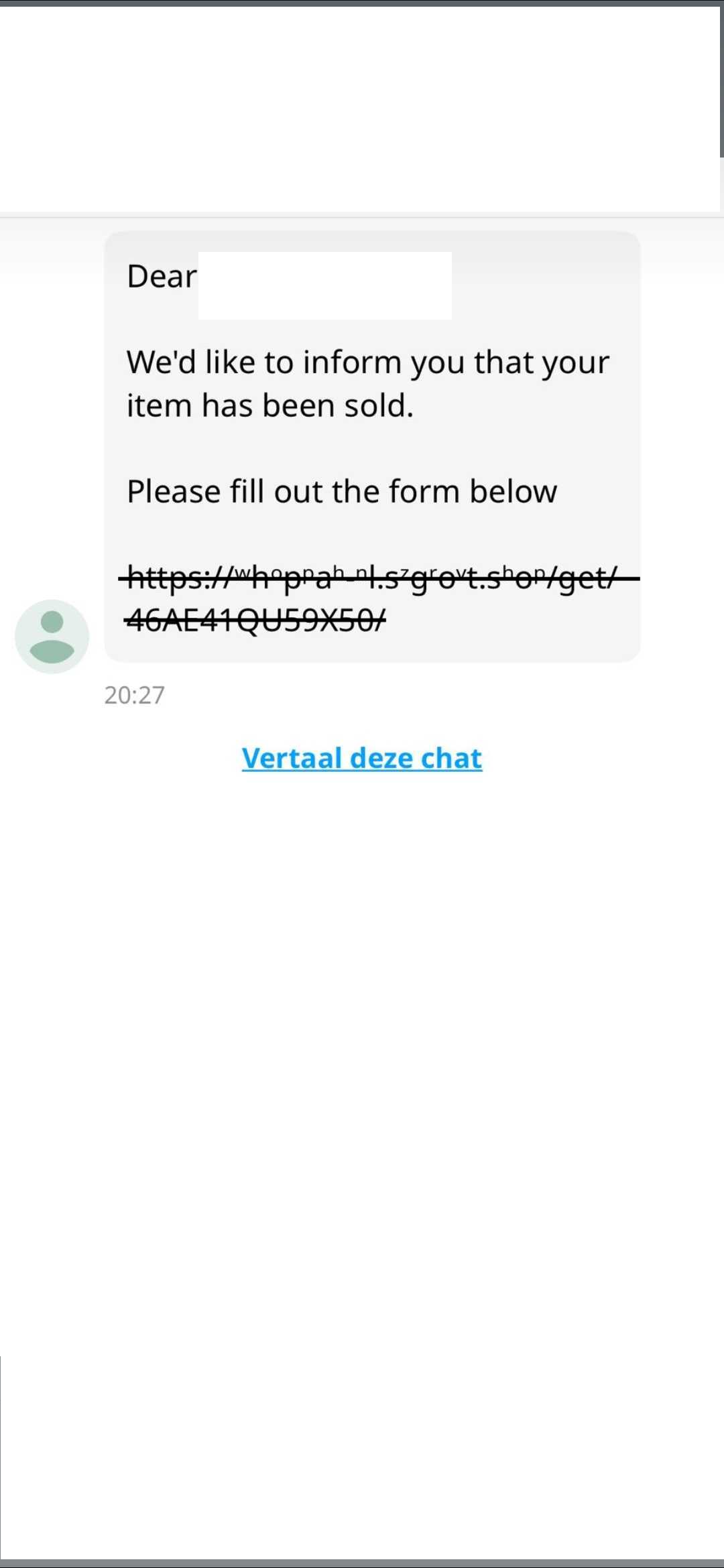
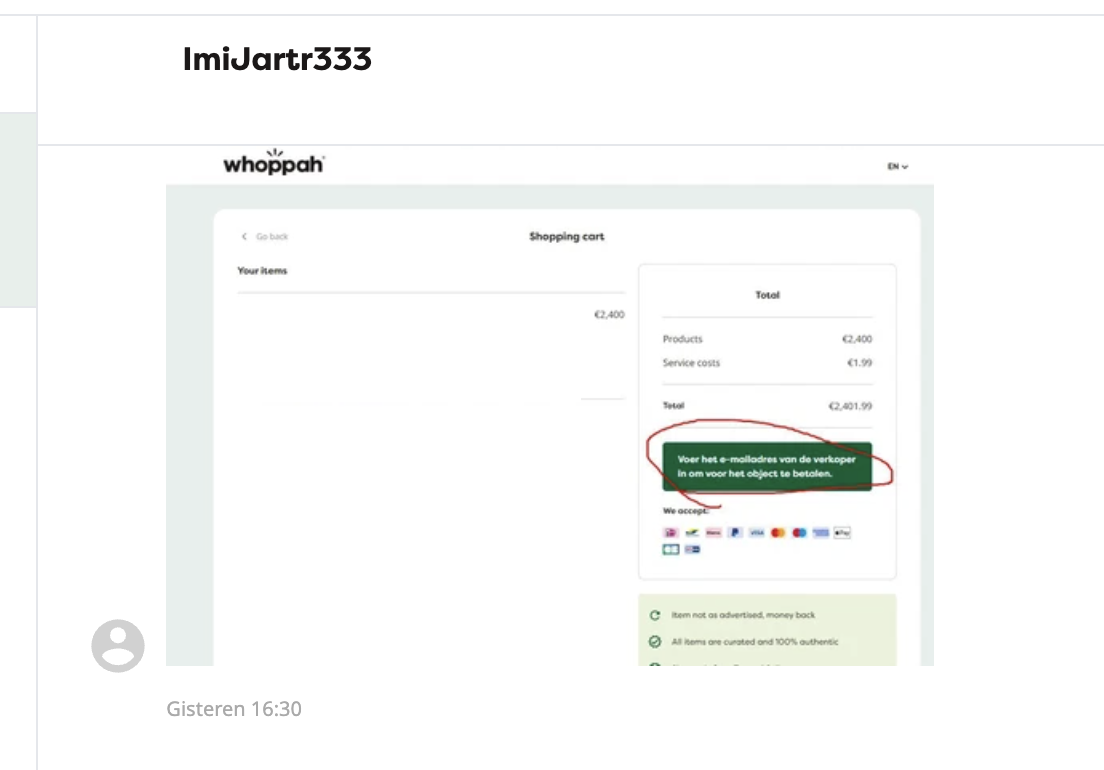
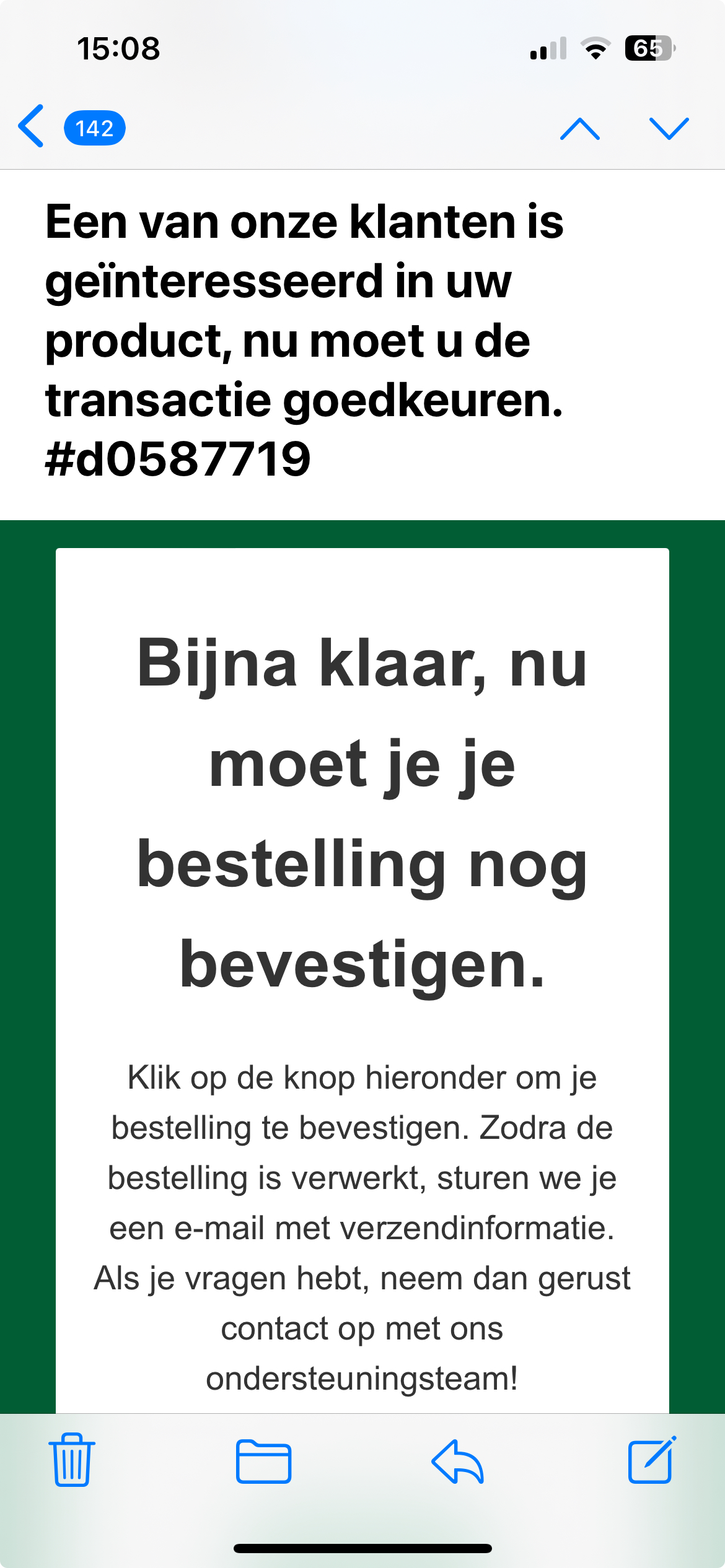
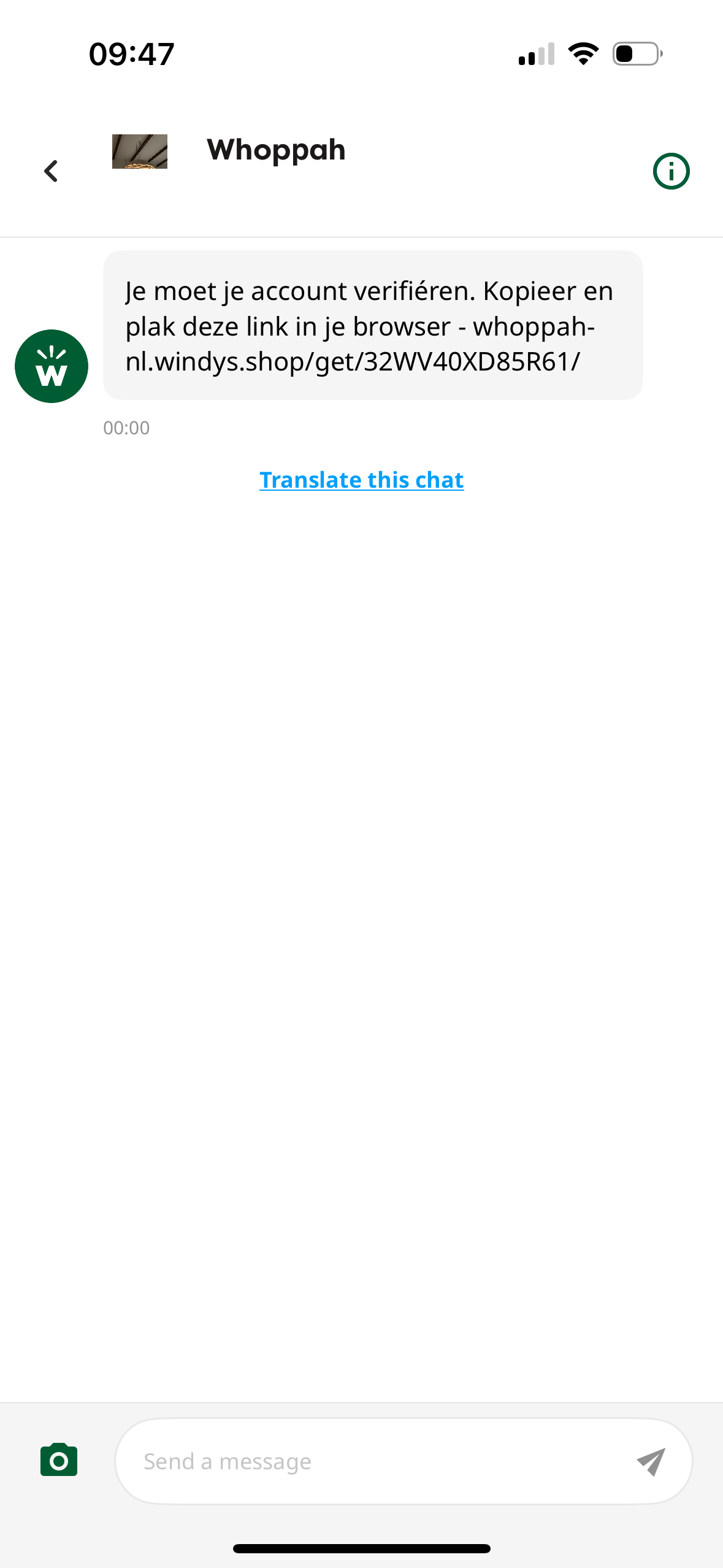
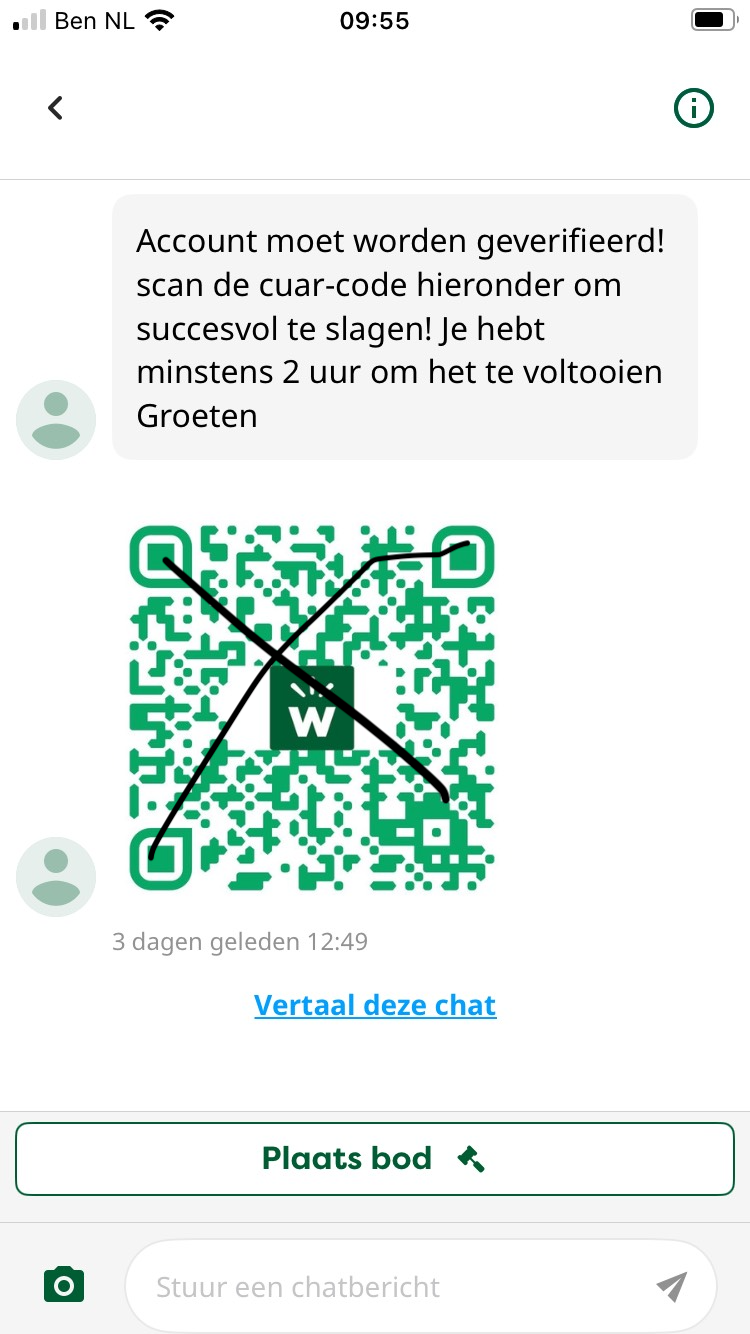
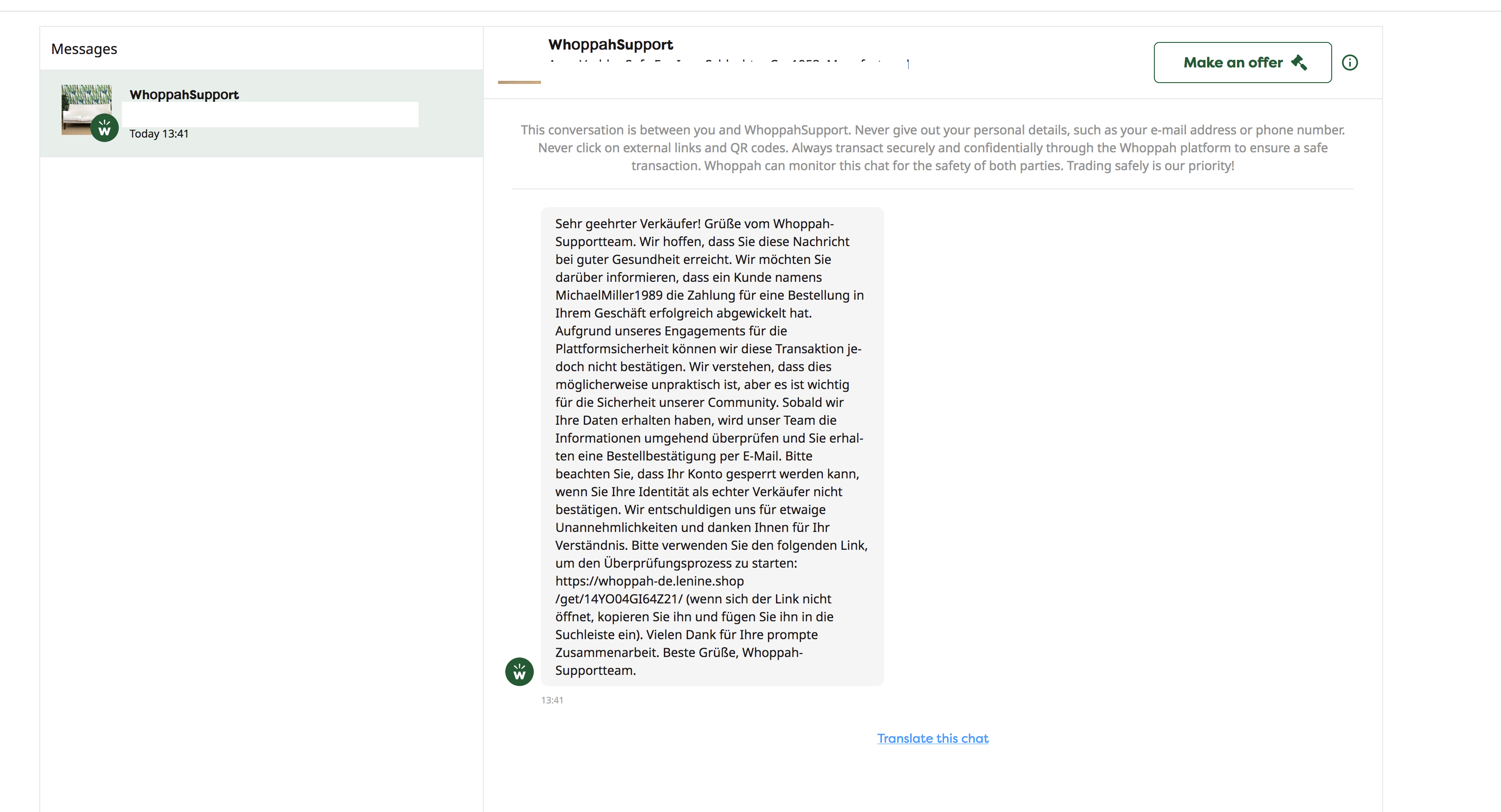
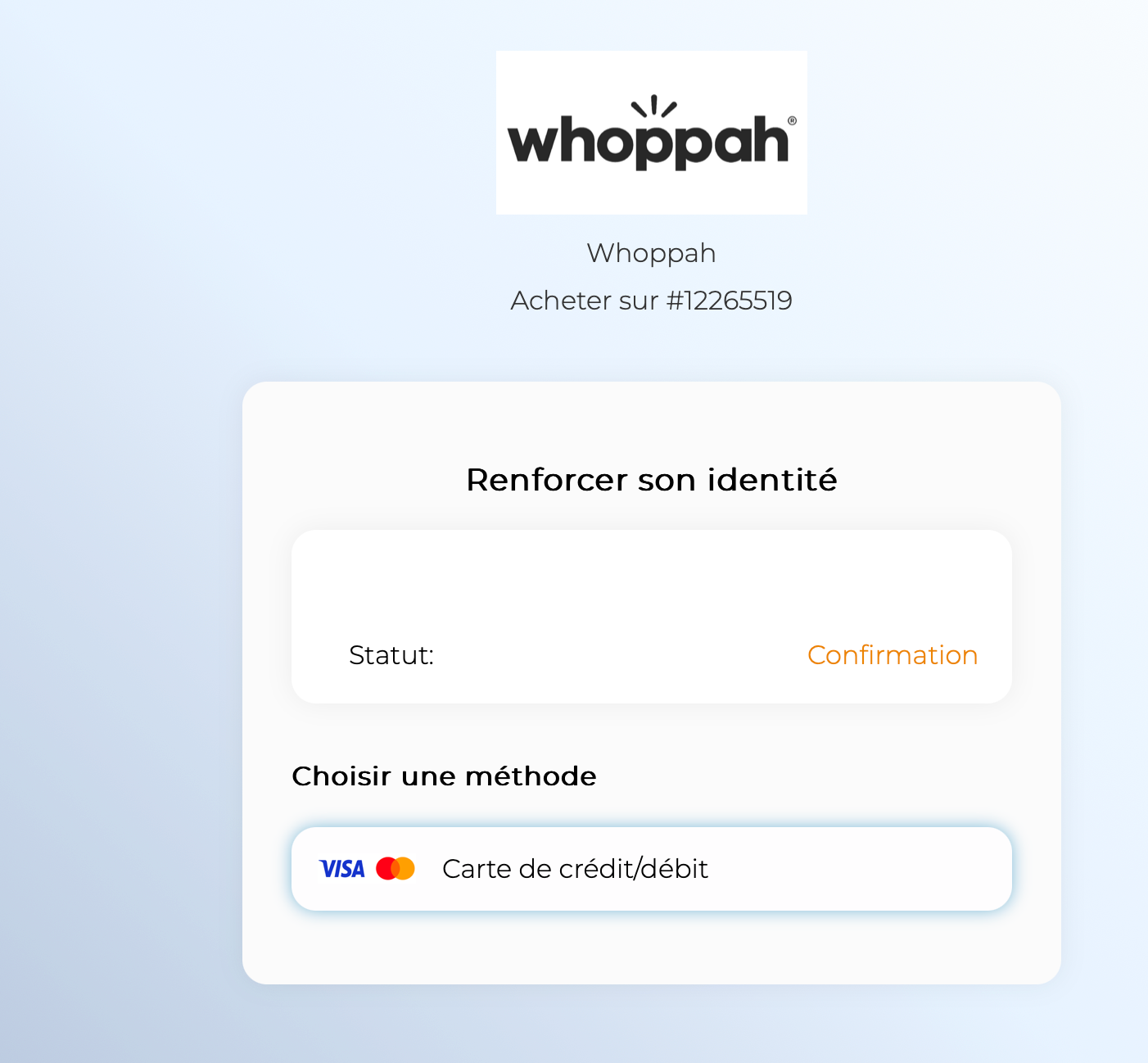
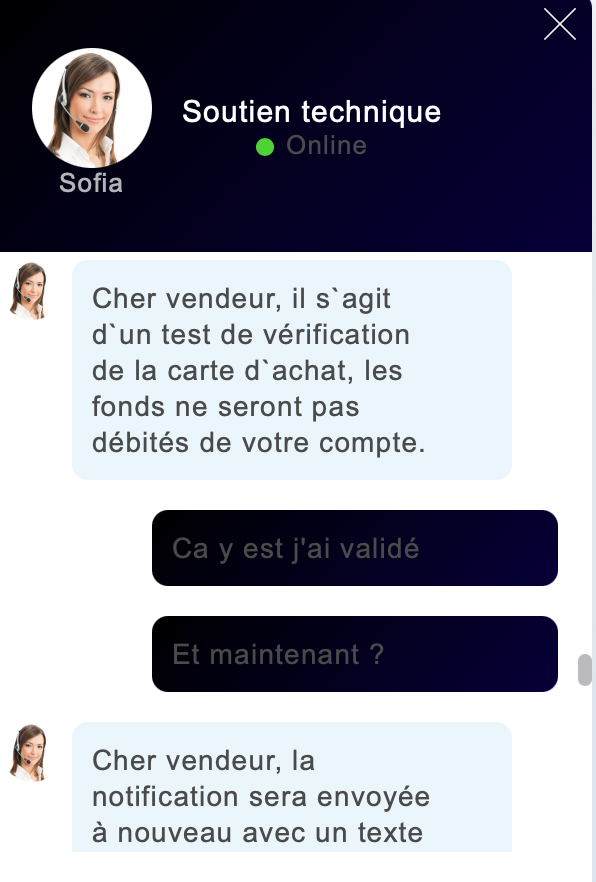
What does Whoppah do to combat spam?
We continuously monitor and improve our security measures to provide you with the best possible experience. Our system analyzes conversations between buyers and sellers. If the system detects certain words, suspicious links, and files, users are automatically blocked.
Did you receive a notification that you have a new message and can no longer see it? Then it was probably a suspicious message, and we've blocked the user.
What should you do if you have been scammed?
Report the scam to your bank or credit card company
Report it to the police
Report the scam via reportspam@whoppah.com
Do you have any other questions?
If you ever have any doubts about a transaction or receive any suspicious requests, please feel free to contact our support team.
We continuously monitor and improve our security measures to provide you with the best possible experience. Your safety is our top priority, and we are always here for you.
To report spam, please email reportspam@whoppah.com
Related questions
Stay safe on Whoppah - Chat rules
We do everything we can to keep buying and selling safe for everyone. Here’s what’s important in the chat. We detect and block suspicious or unsafe messages.
How does the Whoppah Chat work, and how should you use it?
The Whoppah Chat is the main way for buyers and sellers to communicate directly within the platform.
My order is marked as “Disputed” - what does that mean and what can I do?
If an order is marked as “In Dispute”, it means the buyer has reported an issue with the order.
Still need help?
Weekdays 09:30 to 17:00